 Scramble
Guides Running your event
Put a live golf leaderboard on the clubhouse TV
A live leaderboard on the big screen in the clubhouse makes a tournament feel professional. You do not need special hardware.
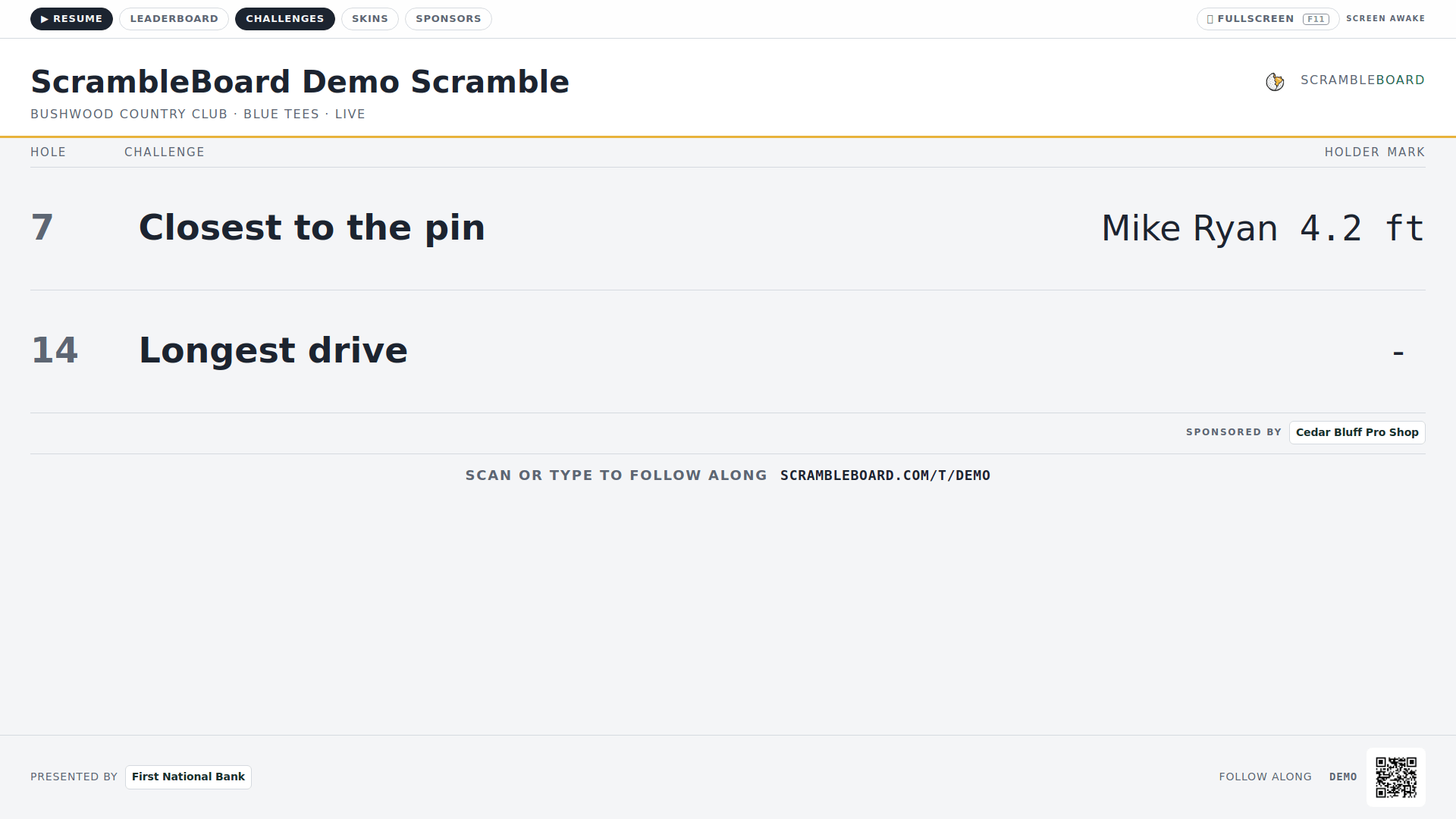
Any TV or projector with a web browser works: a smart TV, a laptop on an HDMI cable, or a cheap streaming stick. Open the TV board link, go full screen (F11 on a laptop), and walk away. The board checks for new scores and updates itself.
A good TV board is easy to read across the room: large type, high contrast, red numbers for under par (fewer strokes than expected), and views that rotate so overall, flights, and skins each get a turn. Flights are skill groups. Skins is a side game with a prize per hole. The ScrambleBoard TV board is light by default, and you can switch it to a deep-green scoreboard on the TV board settings page.
At member-guests and company outings, the board is also sponsor space. A sponsor's logo between leaderboard views is a slot you can sell to help pay for the event.
Everything on the TV comes from the same live scores your players enter. Read how QR scoring feeds it, or how to run a scramble from start to finish.
Run your event without paper Players scan a code, claim their name, and score on their phones. The leaderboard updates on every phone and the clubhouse TV. No app to install.
Create a free tournamentRelated guides
The biggest problem in tournament software is asking 72 golfers to download an app and create accounts. QR code scoring removes that step.
A four-person scramble is the friendliest format for an outing. In a scramble, all four players hit, the team picks the best shot, and everyone plays the next shot from there. Everyone helps, nobody is embarrassed, and play stays fast. Here is how to run one from start to finish.