 Scramble
Guides Running your event
QR code golf scoring: no app, no player accounts
The biggest problem in tournament software is asking 72 golfers to download an app and create accounts. QR code scoring removes that step.
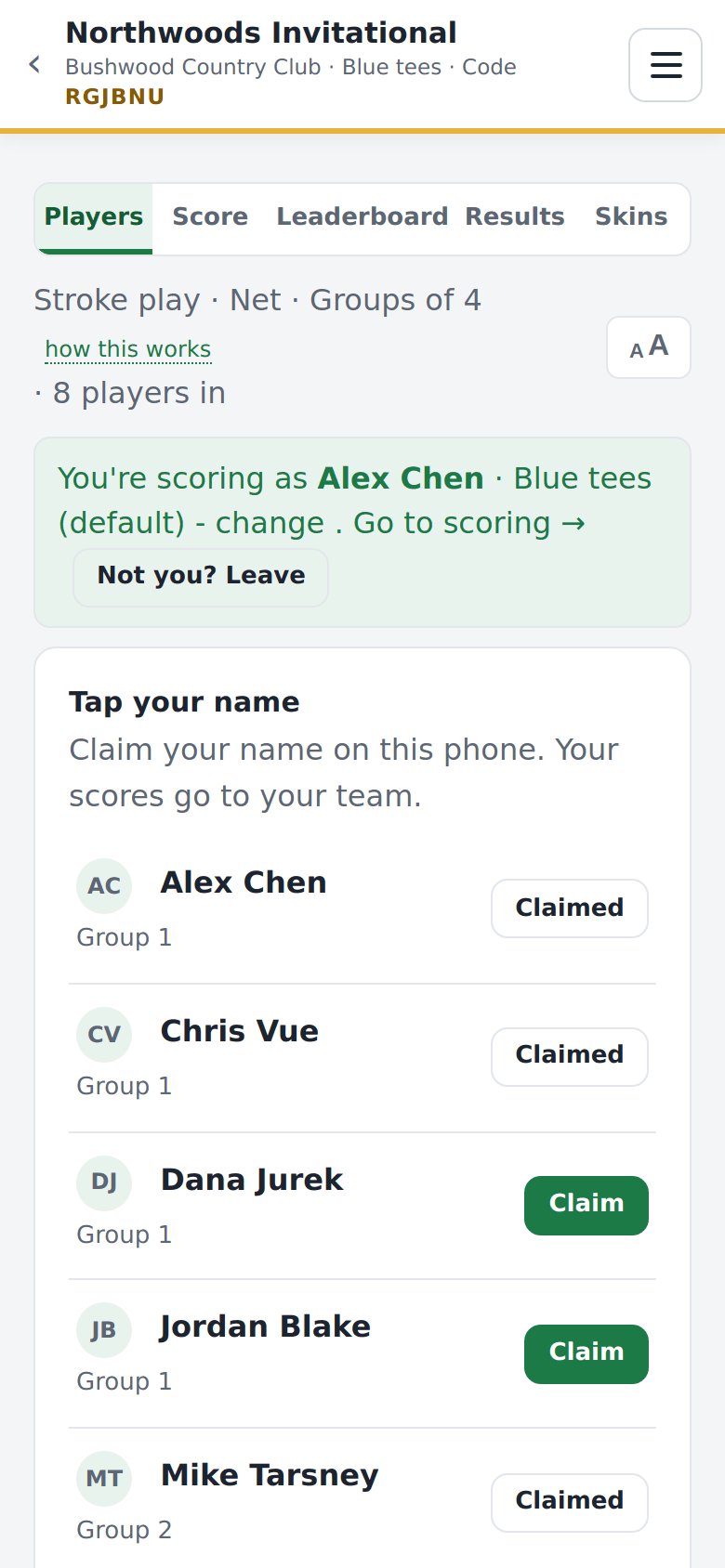
Here is the flow. You print a QR poster for each cart or tee (the starting area of a hole). A player points their phone camera at it, taps the link, sees the roster, and claims their name. They are scoring within about thirty seconds, and nothing was installed.
About two-thirds of golfers over 55 avoid app downloads, and that is the group at most club events and outings. A browser link avoids the problem. If a camera will not cooperate, the player types the six-letter join code at scrambleboard.com instead.
Because there is no account wall, spectators can join too. A spouse, a sponsor, or the drink cart can follow the leaderboard from the same link. That makes the event feel alive.
ScrambleBoard is built around this flow. Learn how to run a scramble, or see how the live leaderboard looks on a clubhouse TV.
Run your event without paper Players scan a code, claim their name, and score on their phones. The leaderboard updates on every phone and the clubhouse TV. No app to install.
Create a free tournamentRelated guides
A four-person scramble is the friendliest format for an outing. In a scramble, all four players hit, the team picks the best shot, and everyone plays the next shot from there. Everyone helps, nobody is embarrassed, and play stays fast. Here is how to run one from start to finish.
A live leaderboard on the big screen in the clubhouse makes a tournament feel professional. You do not need special hardware.